A demo store that actually runs.
Arunika is our demo store on Spree: shopping, courier rates, sandbox payments, a dashboard and a wholesale portal. Not a client project.
Demo store — not a client project.

Demo store — not a client project. Products and prices are demo data. Payment runs in Midtrans sandbox mode, so no money is taken. The free hosting may need a few seconds to wake.Open the demo store(opens in a new tab)
A retail order
From the product page to the order arriving in the dashboard.
1. Choose a product
Colour variants, stock and prices in rupiah.
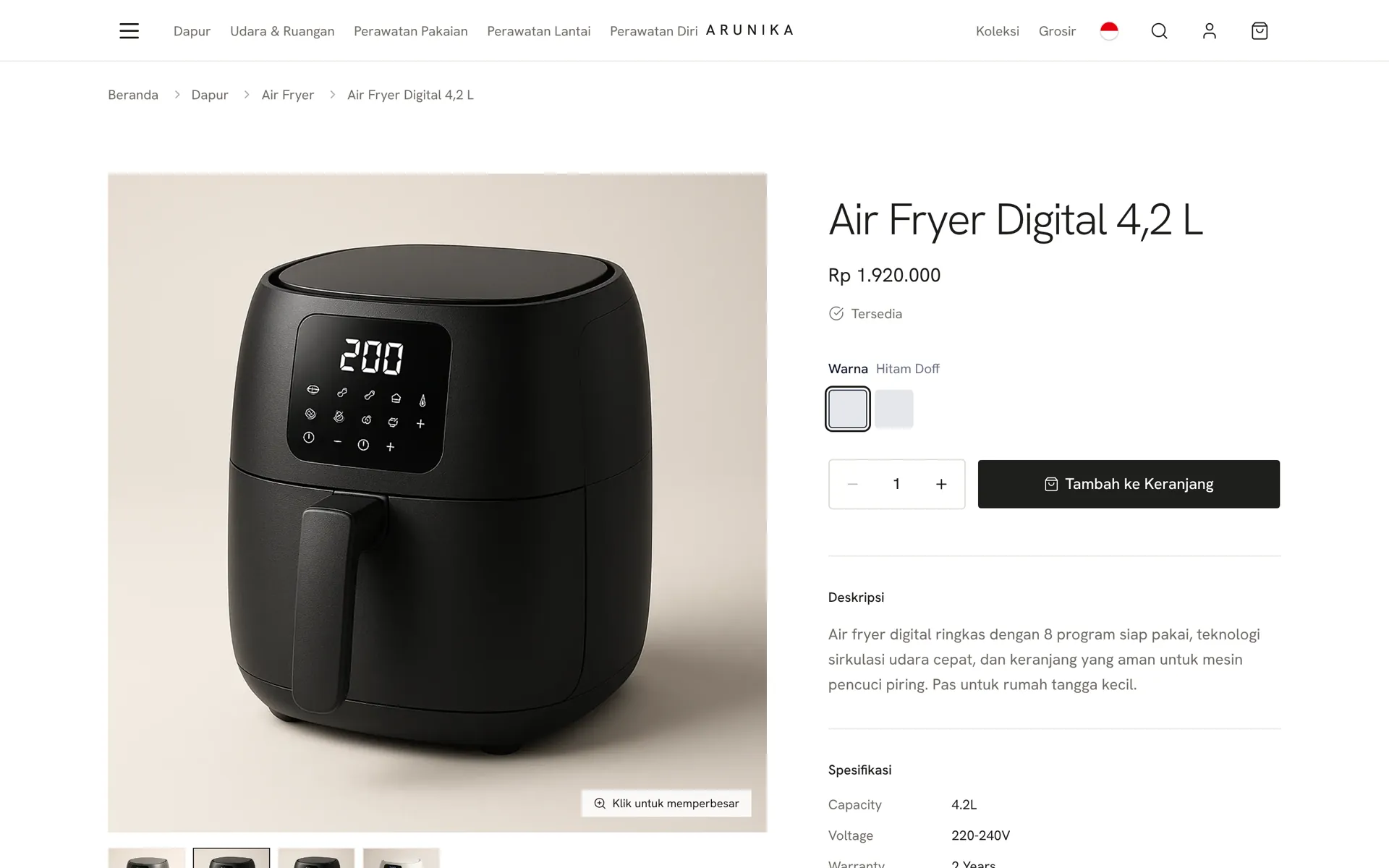
A product page with colour variants and stock.Demo data. 2. Enter the address
Search for a kelurahan or kecamatan; city, province and postcode fill in automatically.
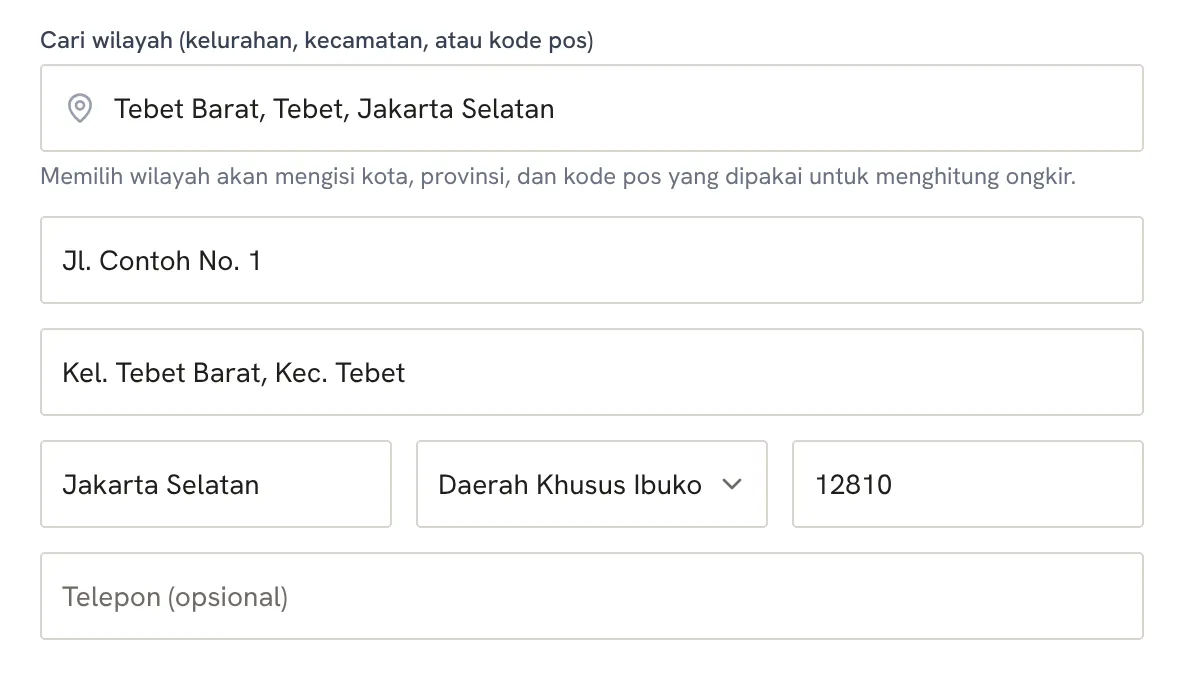
The buyer searches for a kelurahan or kecamatan; city and postcode fill themselves in.Demo data. 3. Choose a courier
Courier rates from RajaOngkir appear for that address, and the buyer picks one.
4. Pay by card or QRIS
The Midtrans payment window opens on the checkout page. In the demo store Midtrans runs in sandbox mode, so no money is taken. Midtrans test cards can be used to try it.
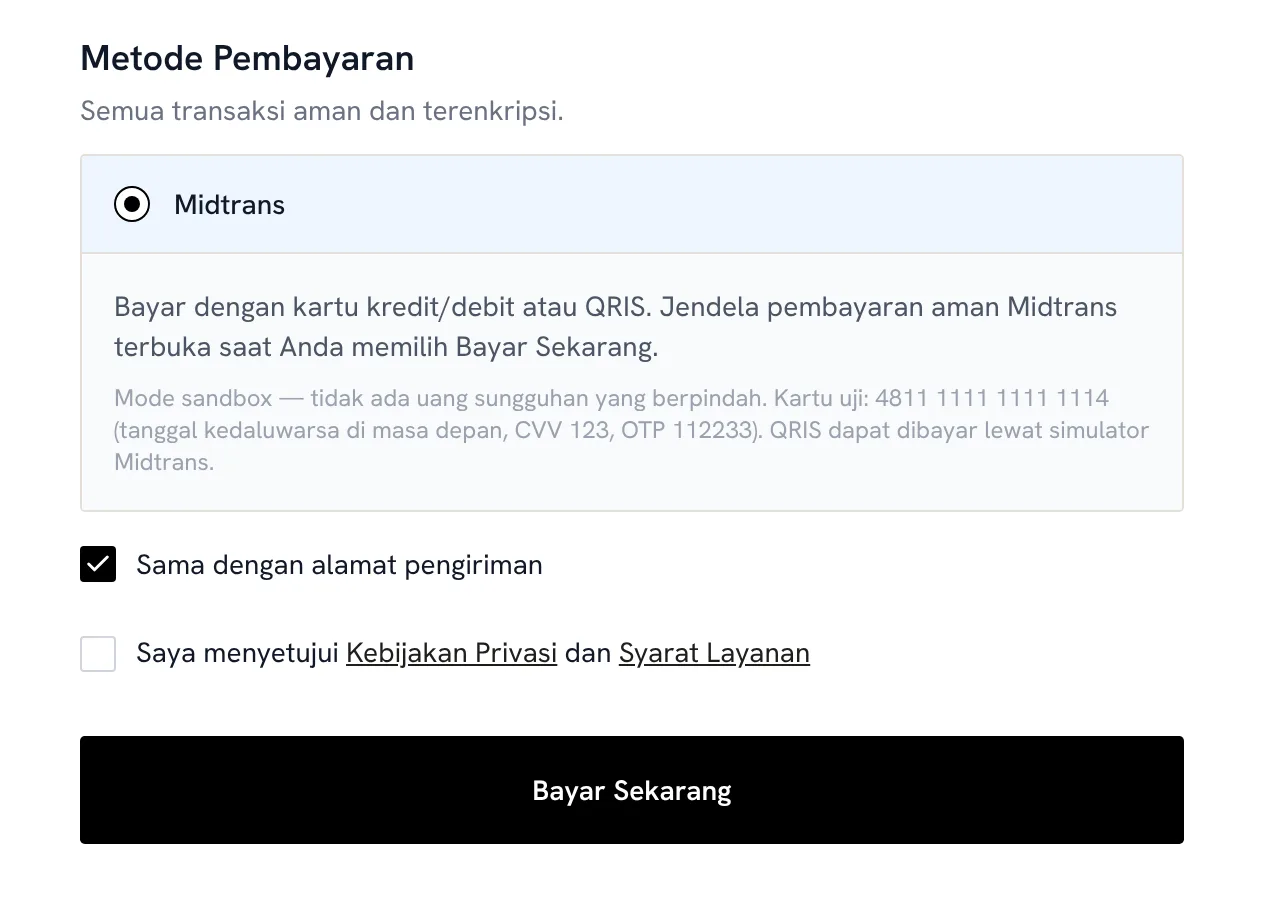
Card or QRIS payment in Midtrans’s secure window.Demo data. 5. The order arrives
Your team sees the payment and fulfilment status, then processes it.
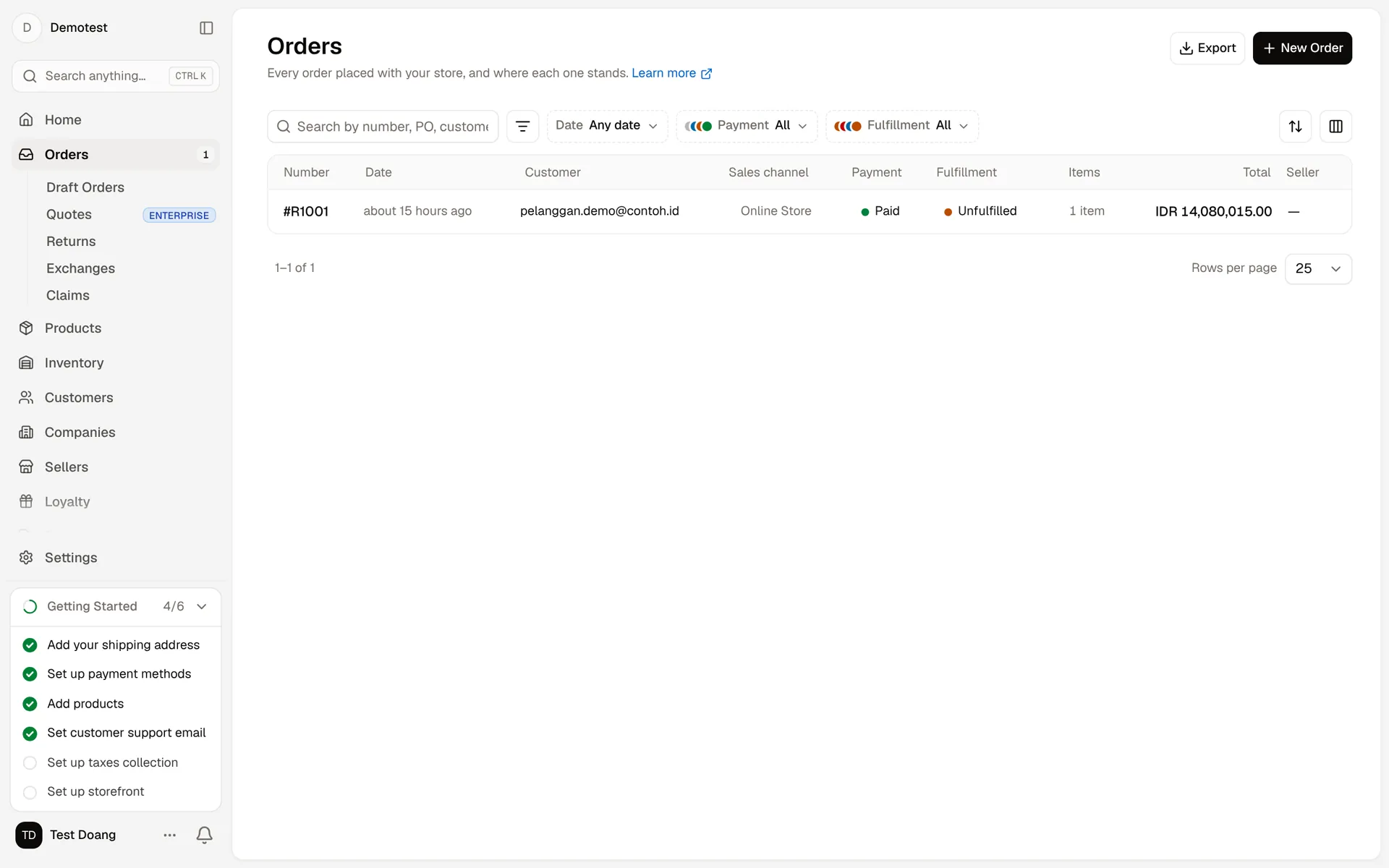
Every order with its payment and fulfilment status.Demo data, customer data masked. 6. The customer checks for themselves
Order status and history are in the customer’s account.
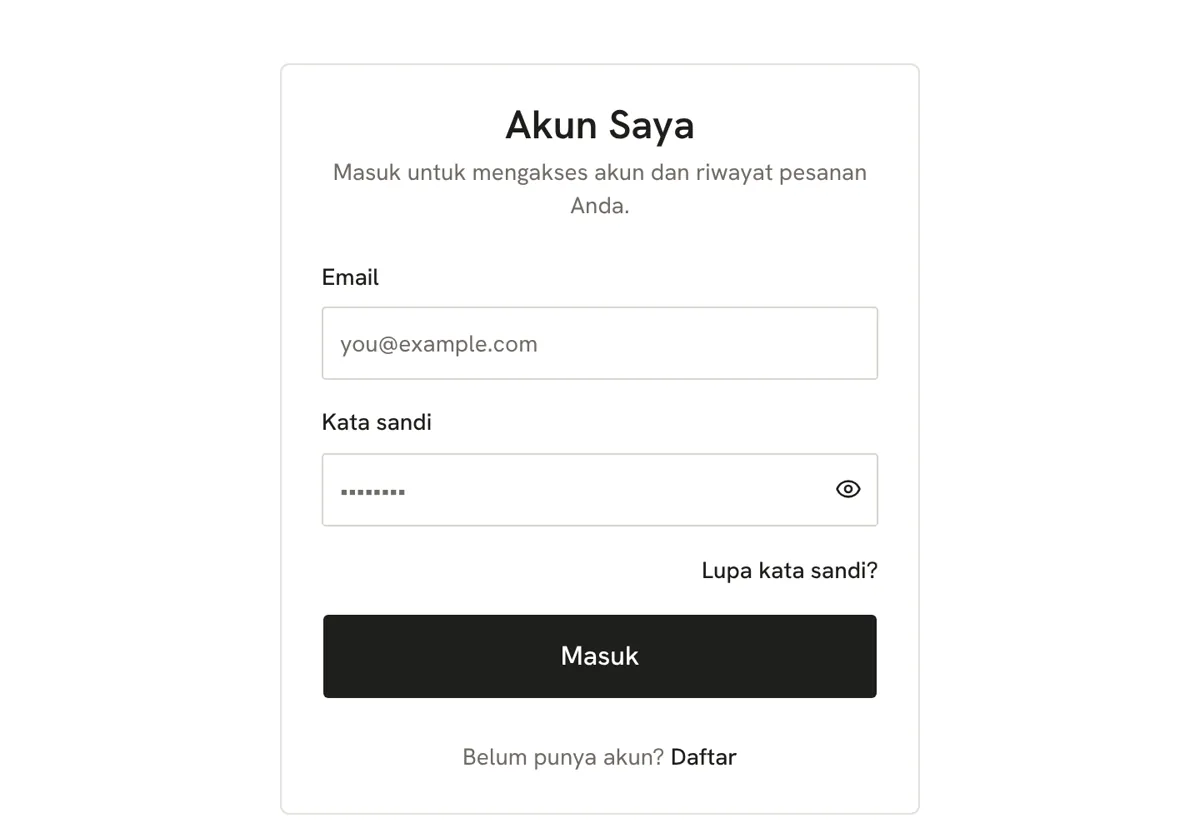
Customers sign in to see their orders, addresses and balances.Demo data.
A wholesale order
An approved trade buyer orders in bulk, at their own prices.
1. Sign in or apply
Trade prices stay hidden until the buyer is approved.
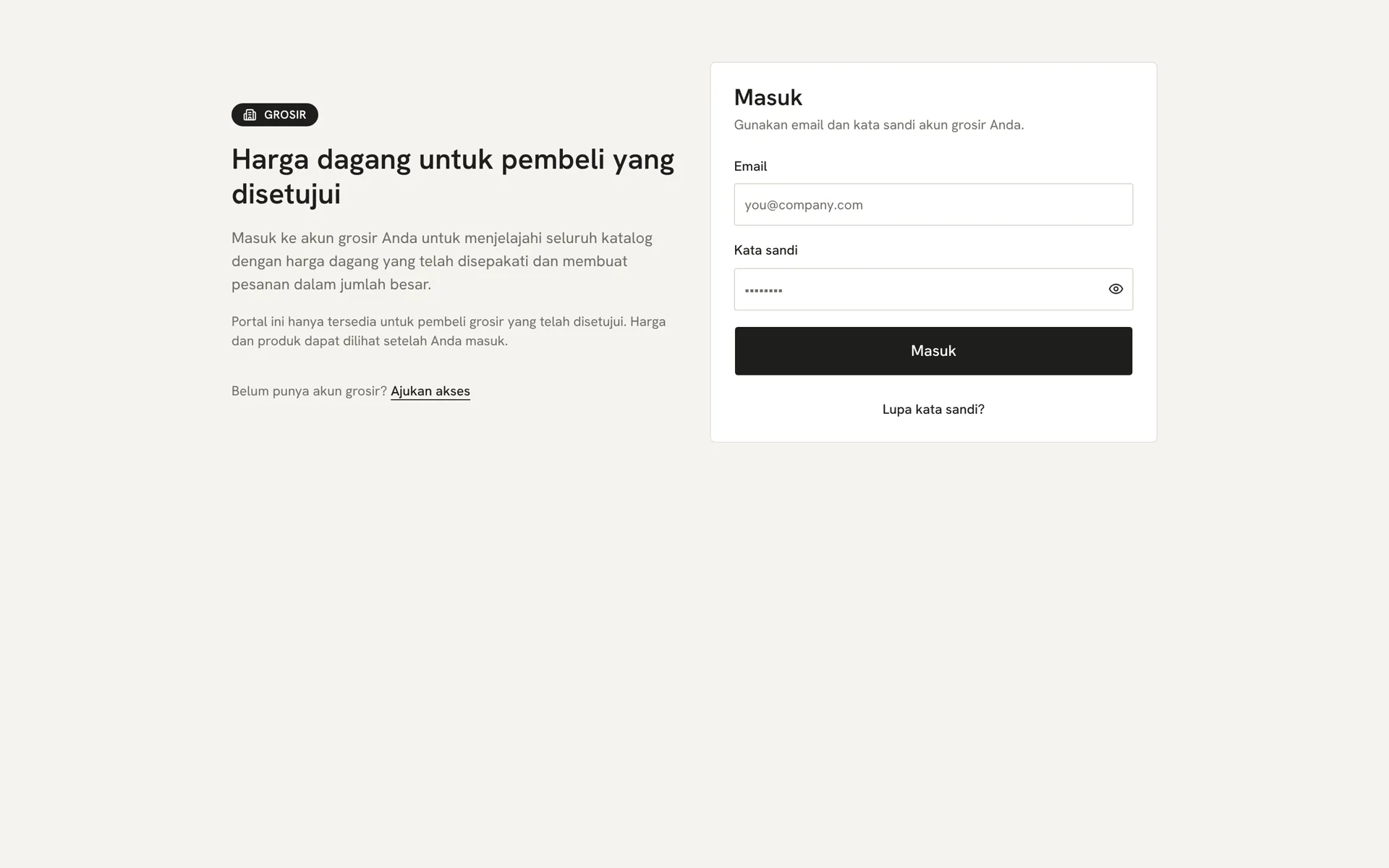
Trade prices are only shown to approved buyers.Demo data. 2. You set the prices
A price list for the wholesale customer group, applying from 10 units.
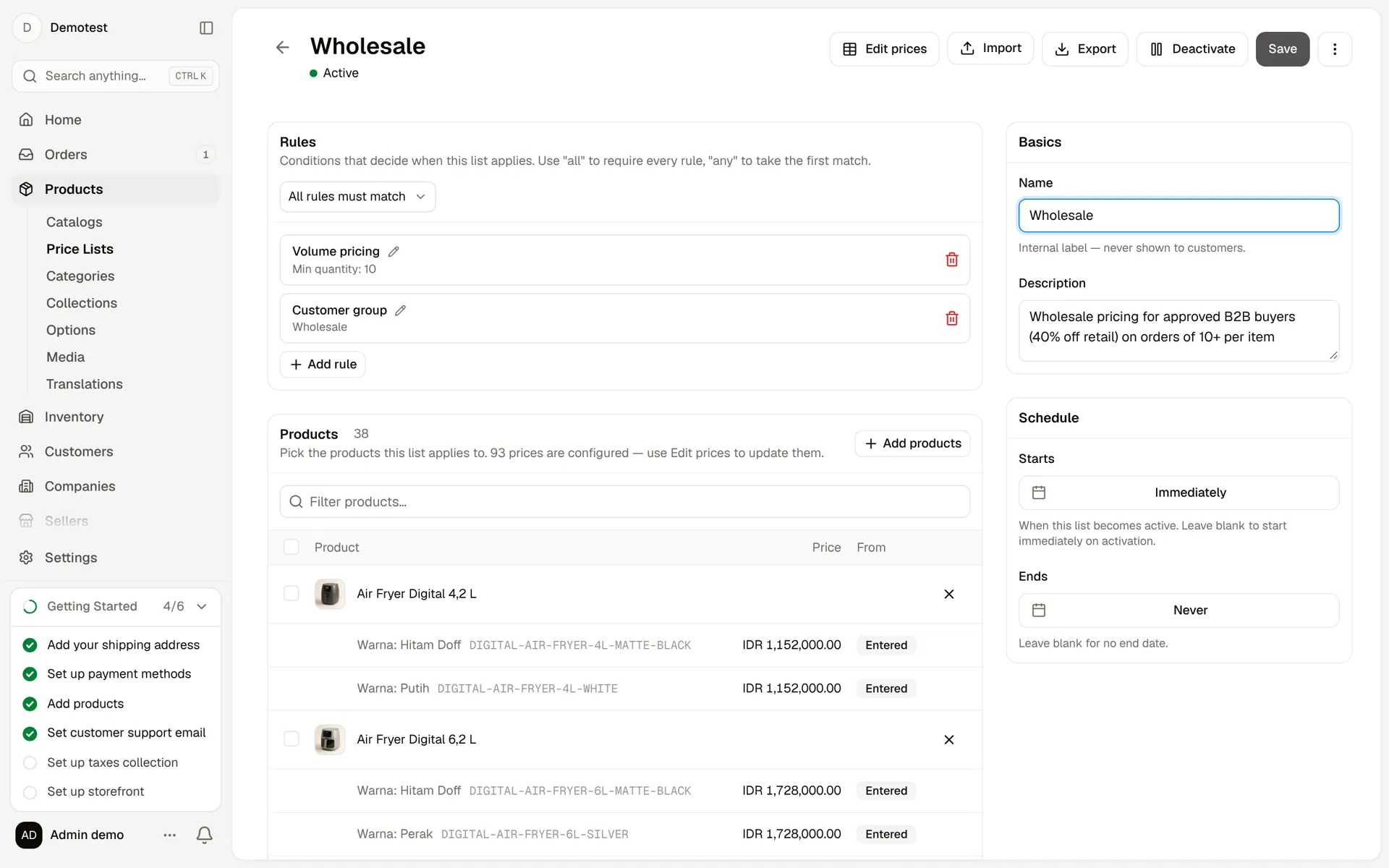
Wholesale prices are set with quantity and customer-group rules.Demo data. 3. Quick order by SKU
Several items at once, without browsing the catalogue.
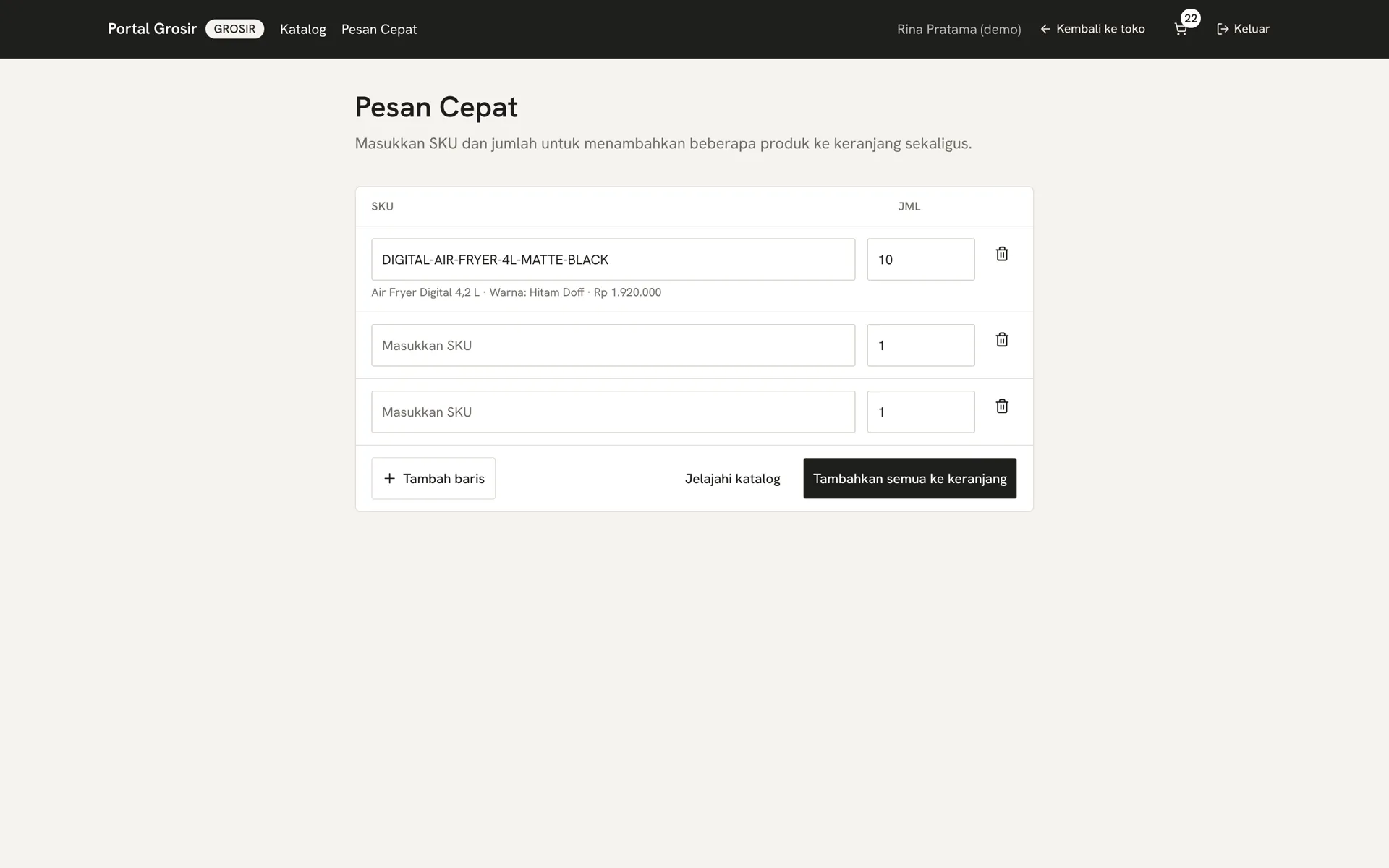
Buyers order many items at once by SKU.Demo data. 4. Trade prices in the cart
An air fryer at Rp1.920.000 becomes Rp1.152.000 per unit from 10 units.
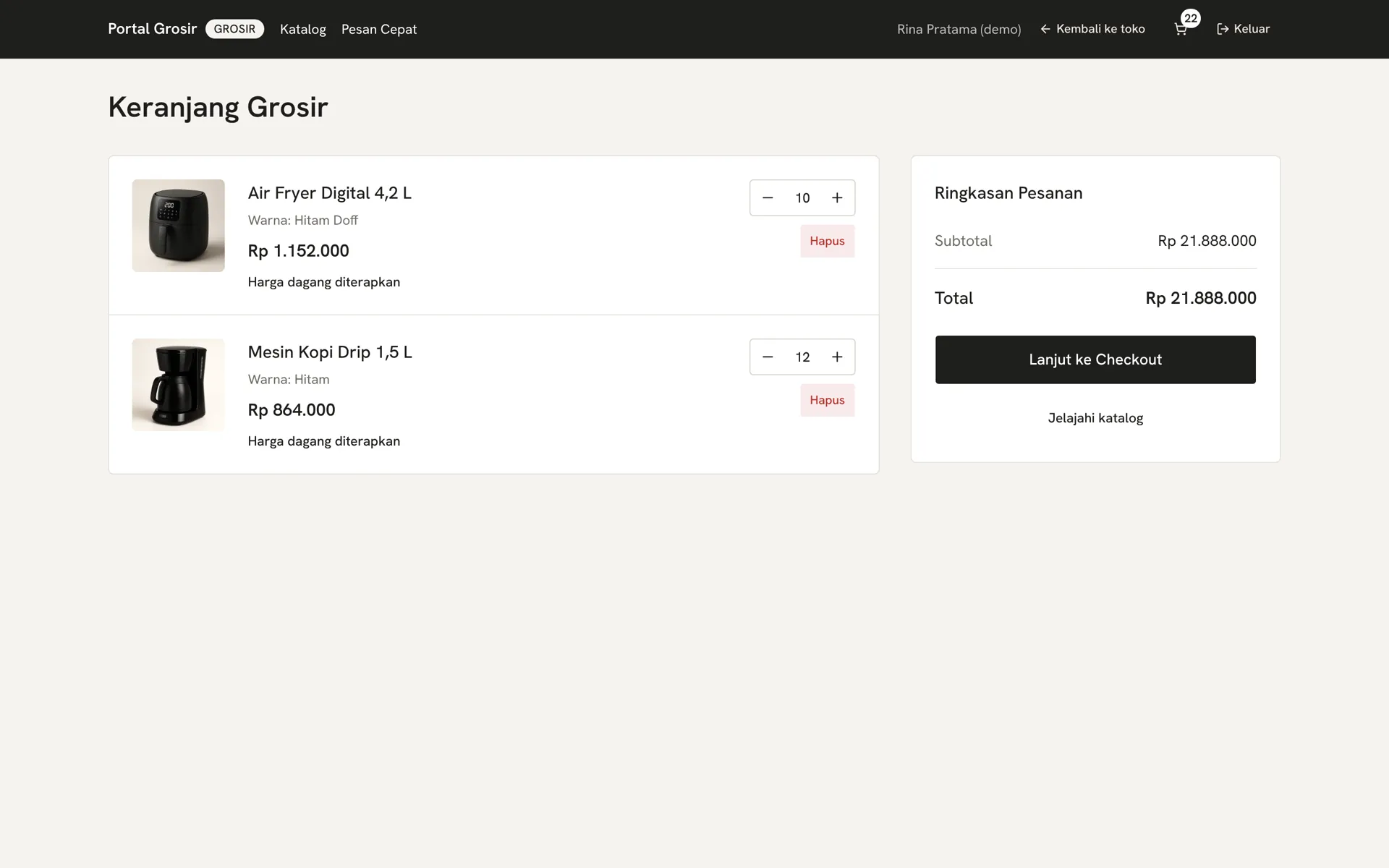
Trade prices apply automatically from 10 units.Demo data.
The merchant dashboard
Where your team works every day. The interface is in English.
1. Overview
Sales, orders and the work waiting.
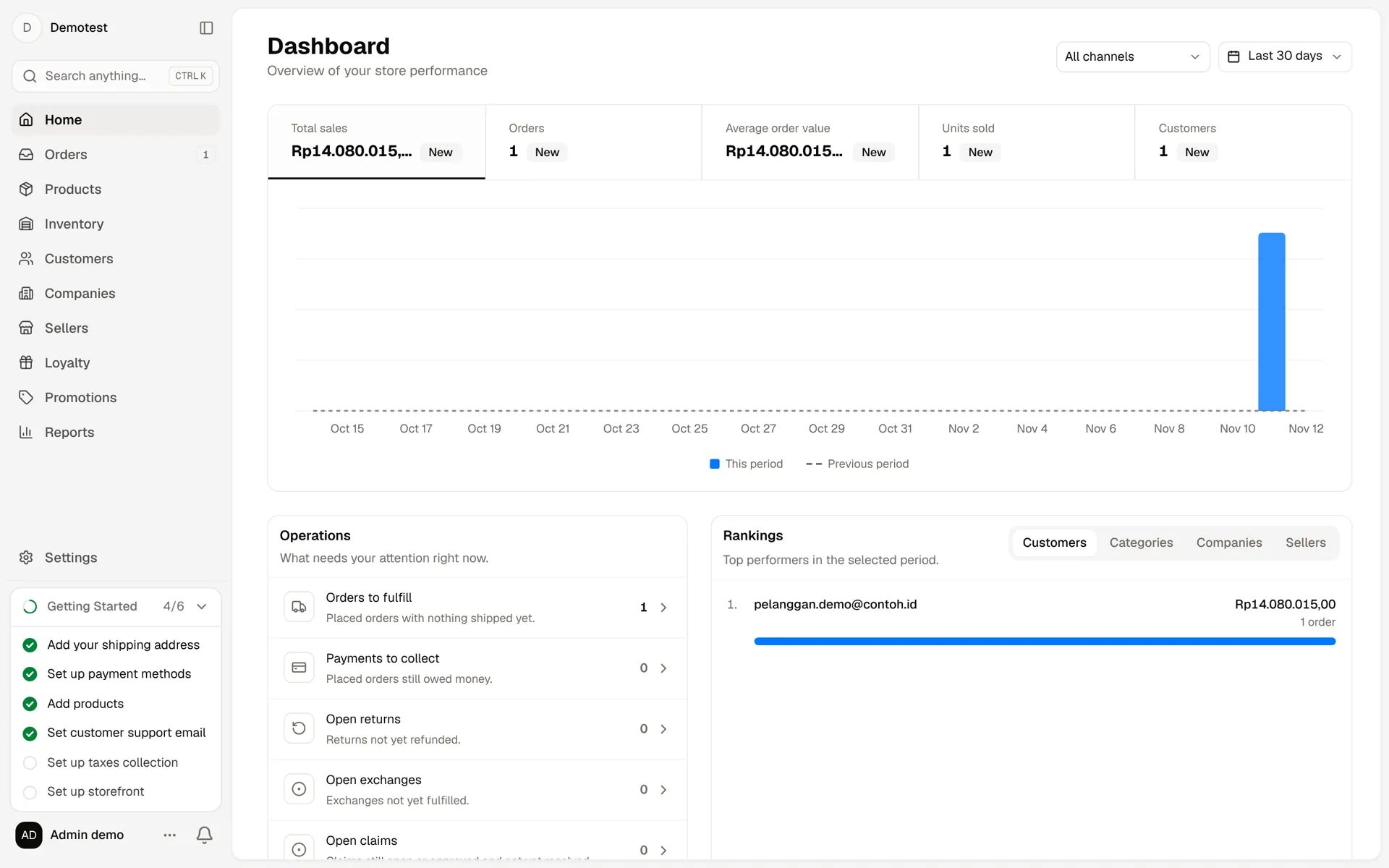
A sales summary and the work waiting for your team.Demo data, customer data masked. 2. Products and stock
Product names in Indonesian, with English translations kept alongside.
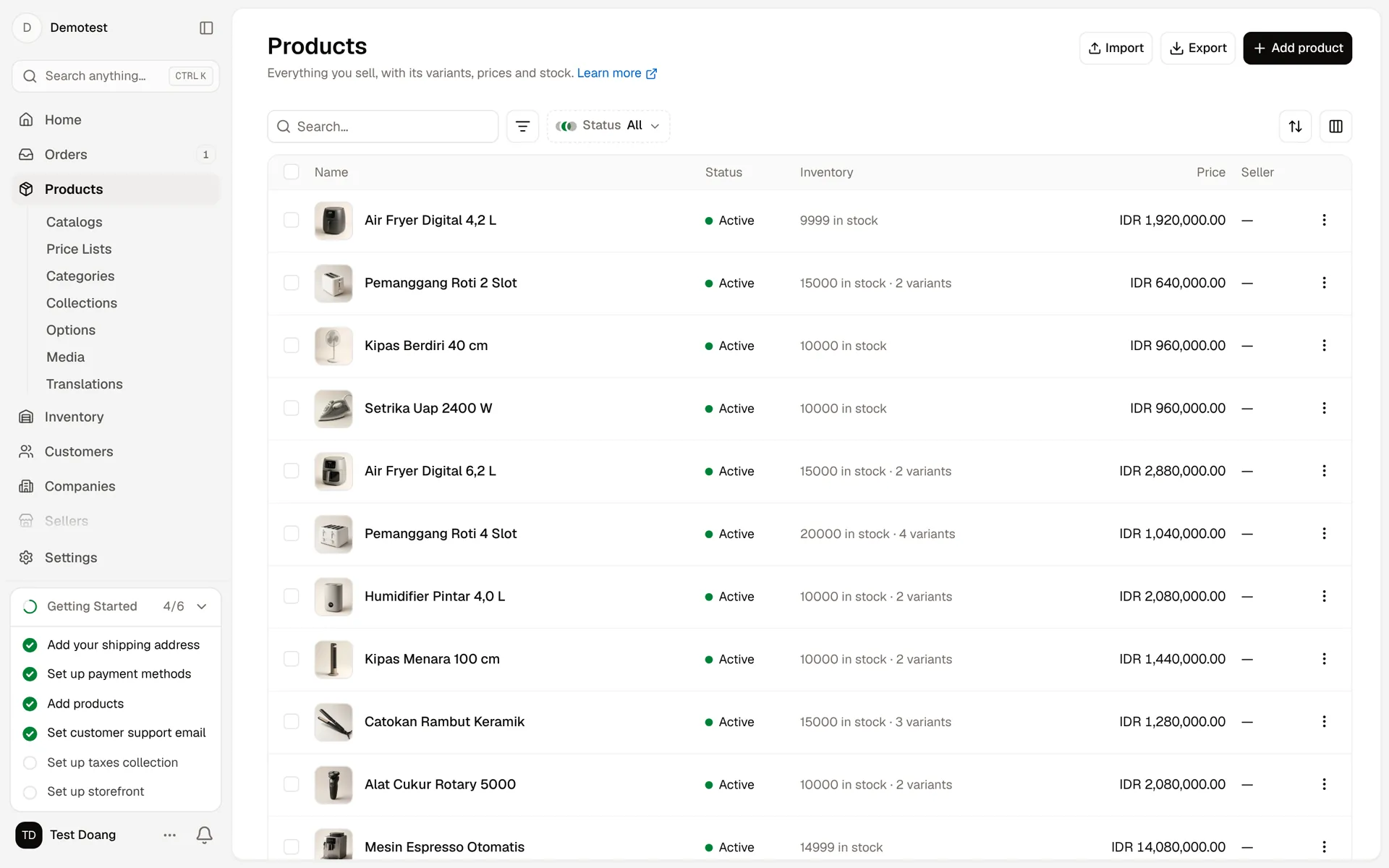
Products, variants, stock and prices in one list.Demo data. 3. Integrations
Midtrans and RajaOngkir are active in the demo store.
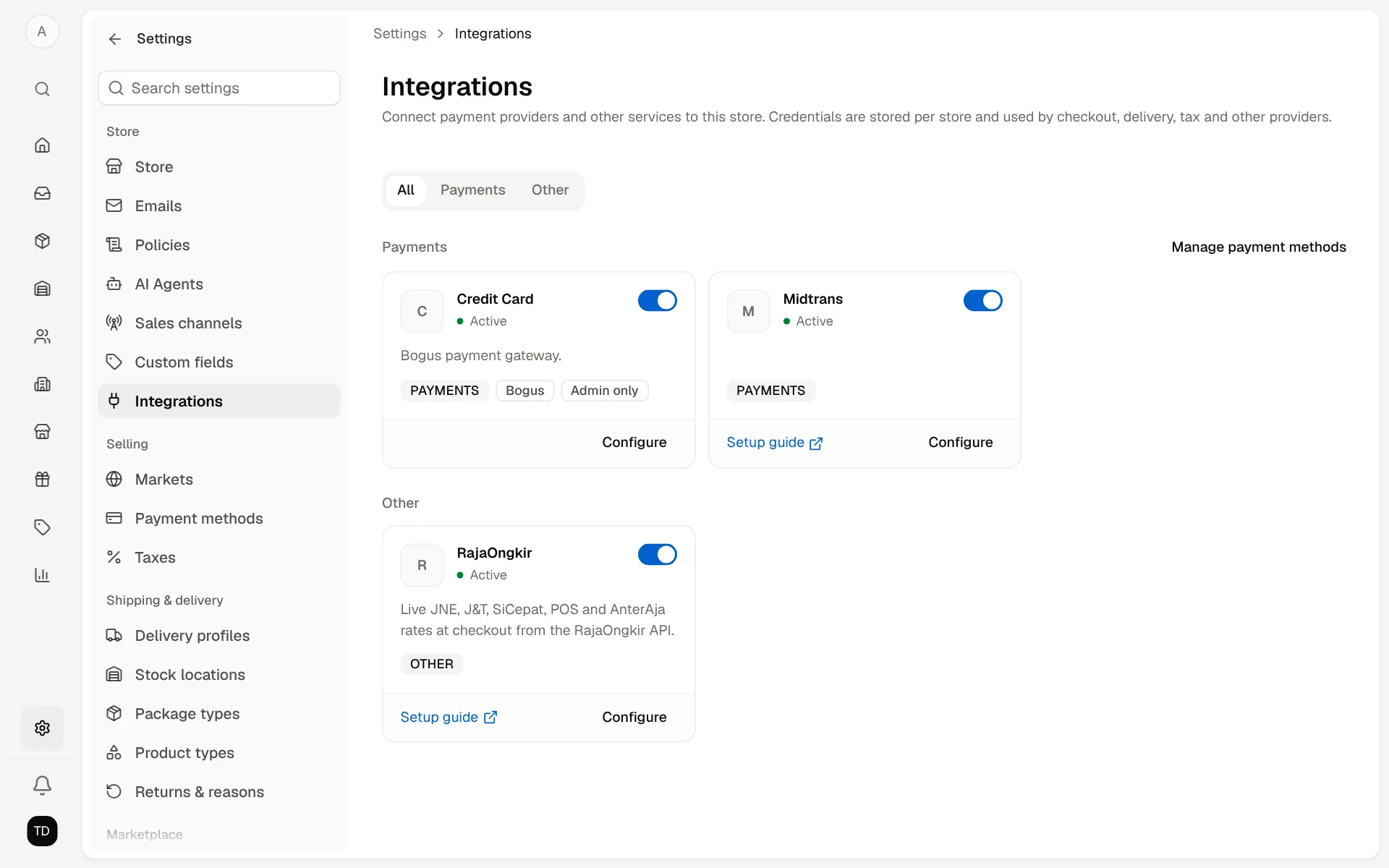
Midtrans and RajaOngkir connected to the store.Demo data.